



공지사항
줌에서 가상 배경과 스튜디오 효과 사용하기
Name : GUESS작성일 : 2021-09-13Hit : 2211
샘 젠과 줌에서 가상 배경과 스튜디오 효과 사용하는 방법을 알아볼까요!!
아래 번호 순서로 따라해보시면 쉽게 사용하실 수 있습니다~
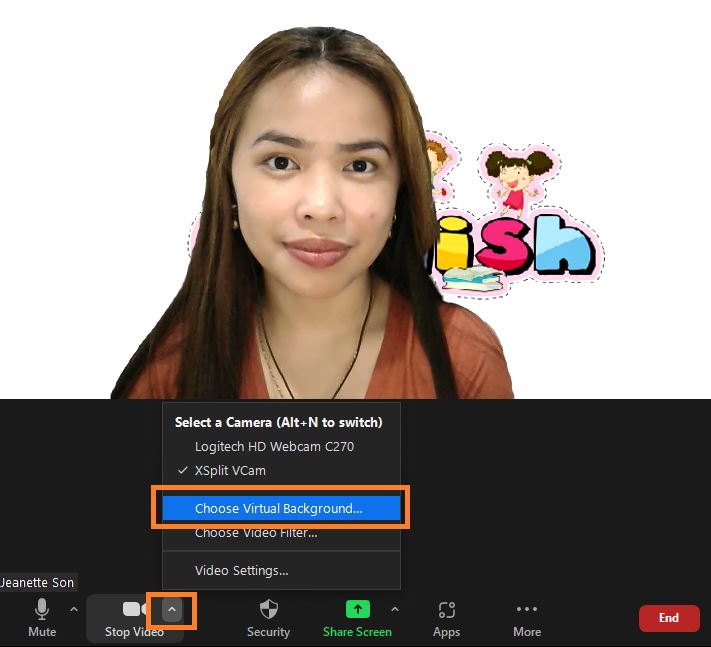
1. Click on the camera icon and select "Choose Virtual Backgroumd.."
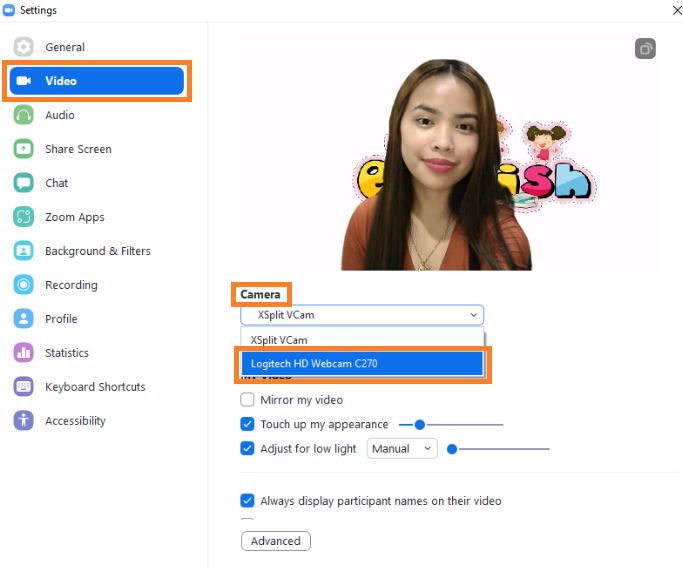
2. After selecting [Video] from the side menu, select the camera as {Logitech HD Web C270 (actual local camera) }.
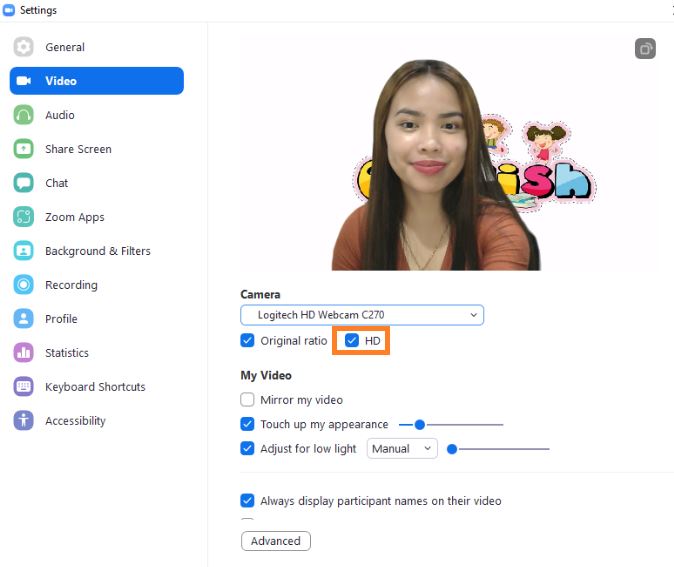
3. Click on {HD} to activate it.
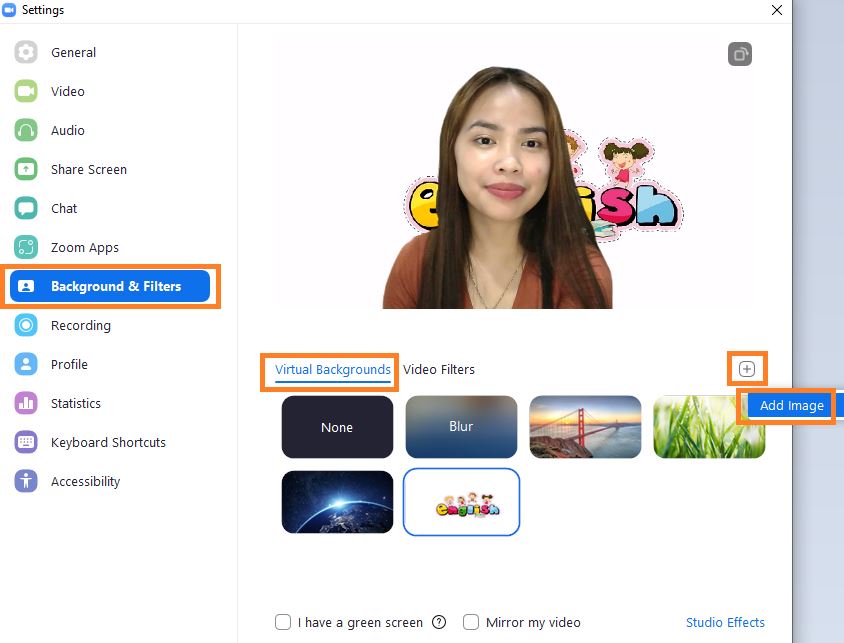
4. In the side menu [Background & Filters], click { + } to add a photo.
Then select the { Virtual Background } tab and set the background picture.
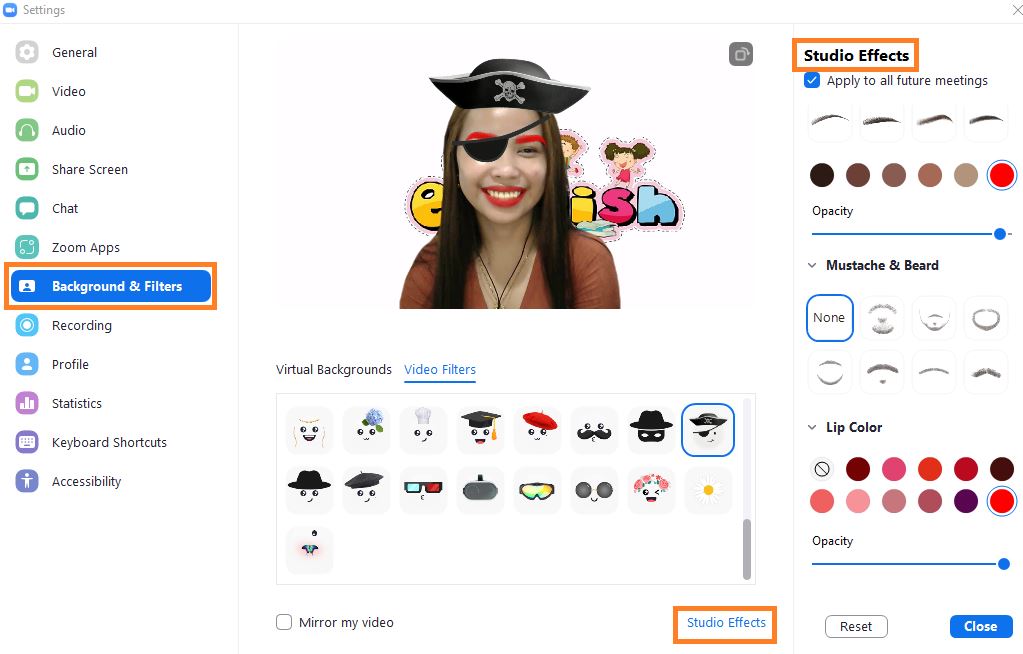
5. You can select the Video Filters tab and create various effects.
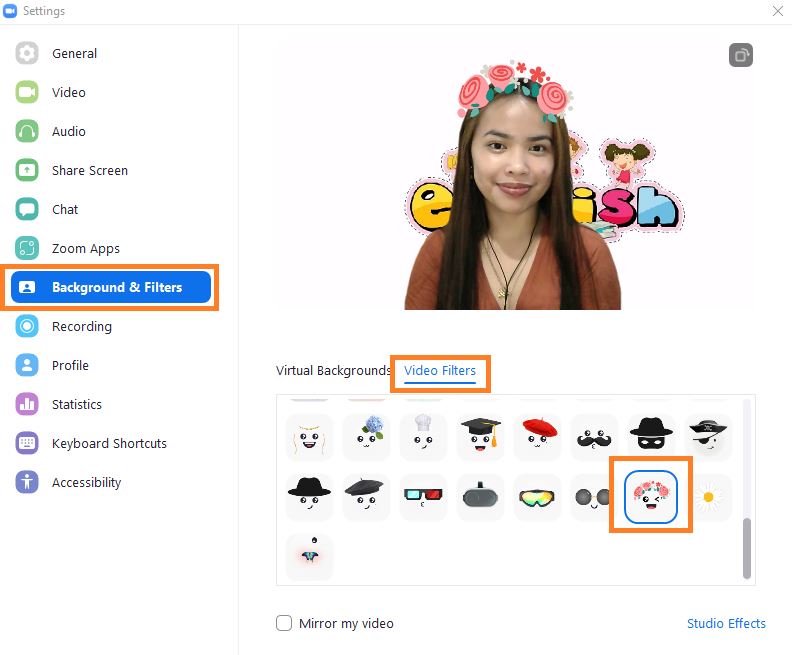
6. Detailed effects can be created through the Studio Effects menu.